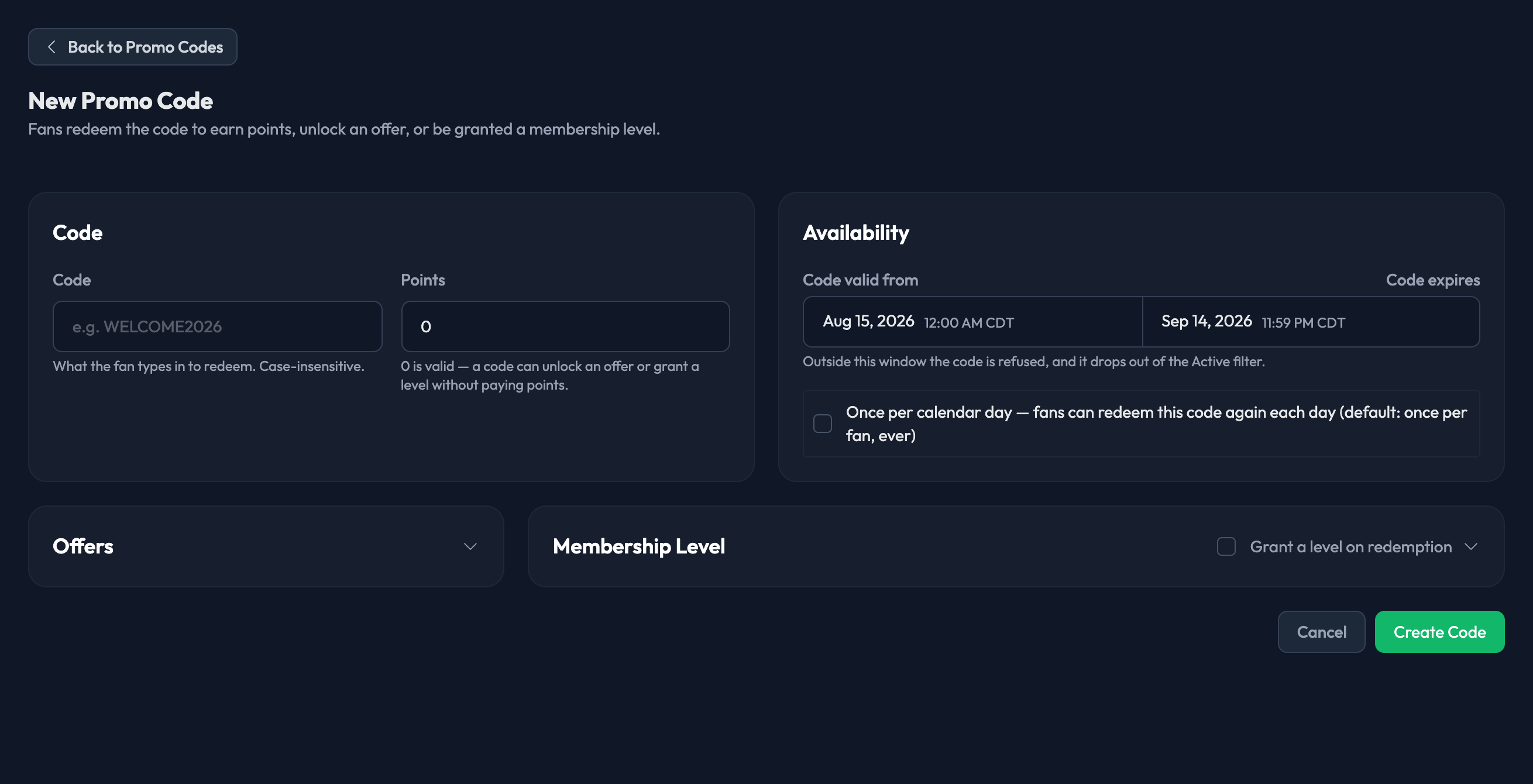
Promo codes are created under Point Earning › Promo Codes. Click New Code to open the form.
1. Code — what the fan types in to redeem. It's case-insensitive, so WELCOME2026 and welcome2026 both work.
2. Points — how many points redeeming the code awards. 0 is valid: a code can unlock an offer or grant a membership level without paying out points.
3. Code valid from — when fans can start using the code.
4. Code expires — when it stops working.
Both dates are required. Outside that window the code is refused, and it drops out of the Active filter on the Promo Codes page.
5. Once per calendar day — leave this unticked and each fan can redeem the code once, ever. Tick it and they can redeem it again each day.
Two optional cards let a code do more than hand out points:
Offers — pick an offer to unlock on redemption.

Membership Level — tick Grant a level on redemption, choose the level, and optionally set Level expires. Leave the expiry empty to grant the level indefinitely. This card only appears if your program has membership levels.
Click Create Code when you're done.