
The Rewards Dashboard — Rewards › Dashboard in the admin — gives you a high-level read on your rewards program.
Use the range picker in the top right to change the window: 7d, 14d, 30d, 60d, 90d or 180d. It opens on 30d.
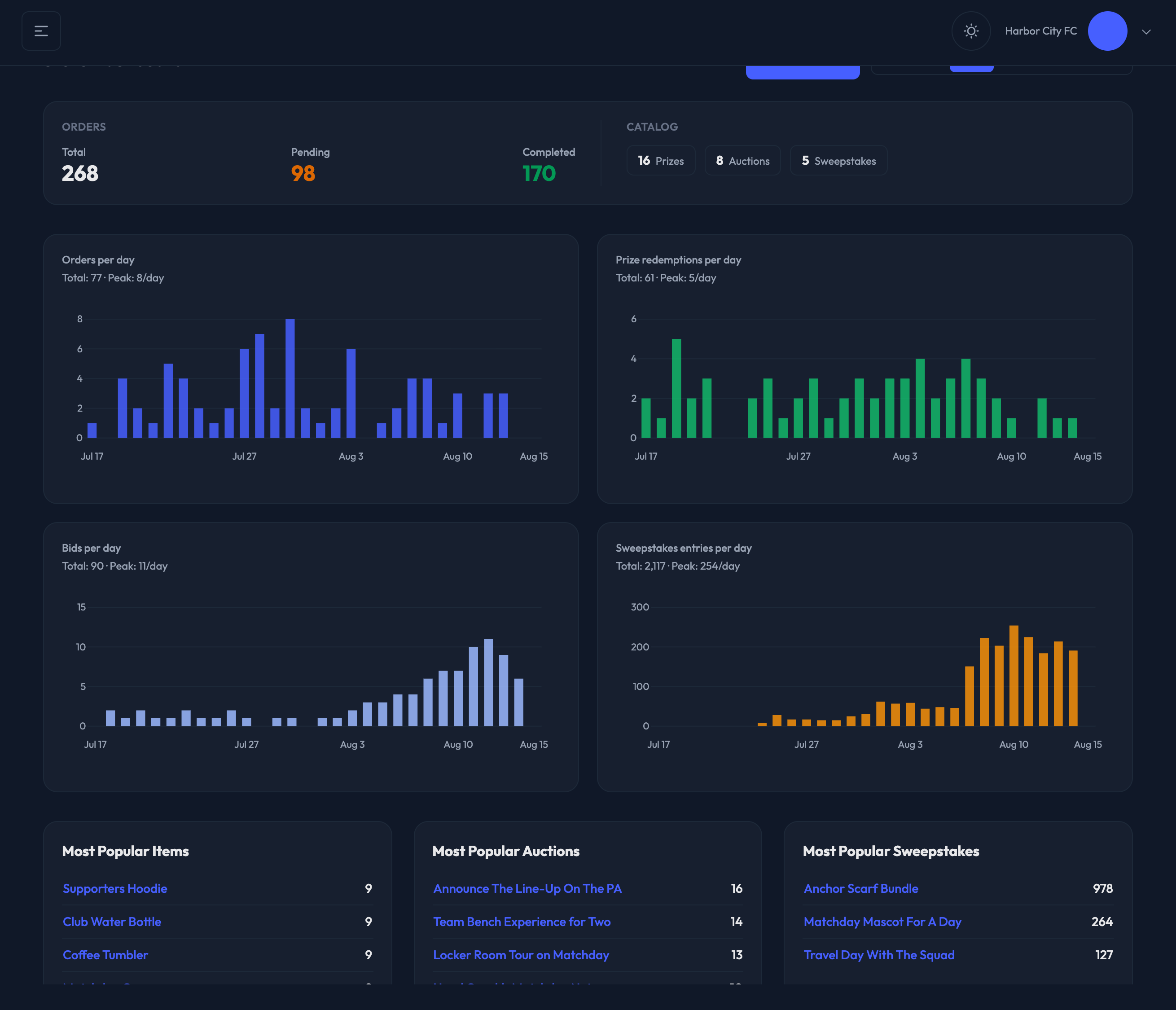
At a Glance
Orders — your Total, Pending and Completed order counts. Each number links straight to the matching list on the Orders page, so Pending is a one-click jump to the queue you actually work.
Catalog — how many Prizes, Auctions and Sweepstakes you have. Each chip opens that list.
Trends
Four daily charts cover the window you picked:
Orders per day
Prize redemptions per day
Bids per day
Sweepstakes entries per day
Each chart shows its Total and its busiest day (Peak) above the graph. A chart with nothing in the window says so instead of drawing an empty graph.
Most Popular
Three top-five lists sit under the charts:
Most Popular Items — prizes by orders over the last month
Most Popular Auctions — auctions by bids over the last week
Most Popular Sweepstakes — sweepstakes by entries over the last week

Recent Orders
The table at the bottom lists your latest orders with Order ID, Member, Item, Ordered date and Status. Click an order ID to open it.
