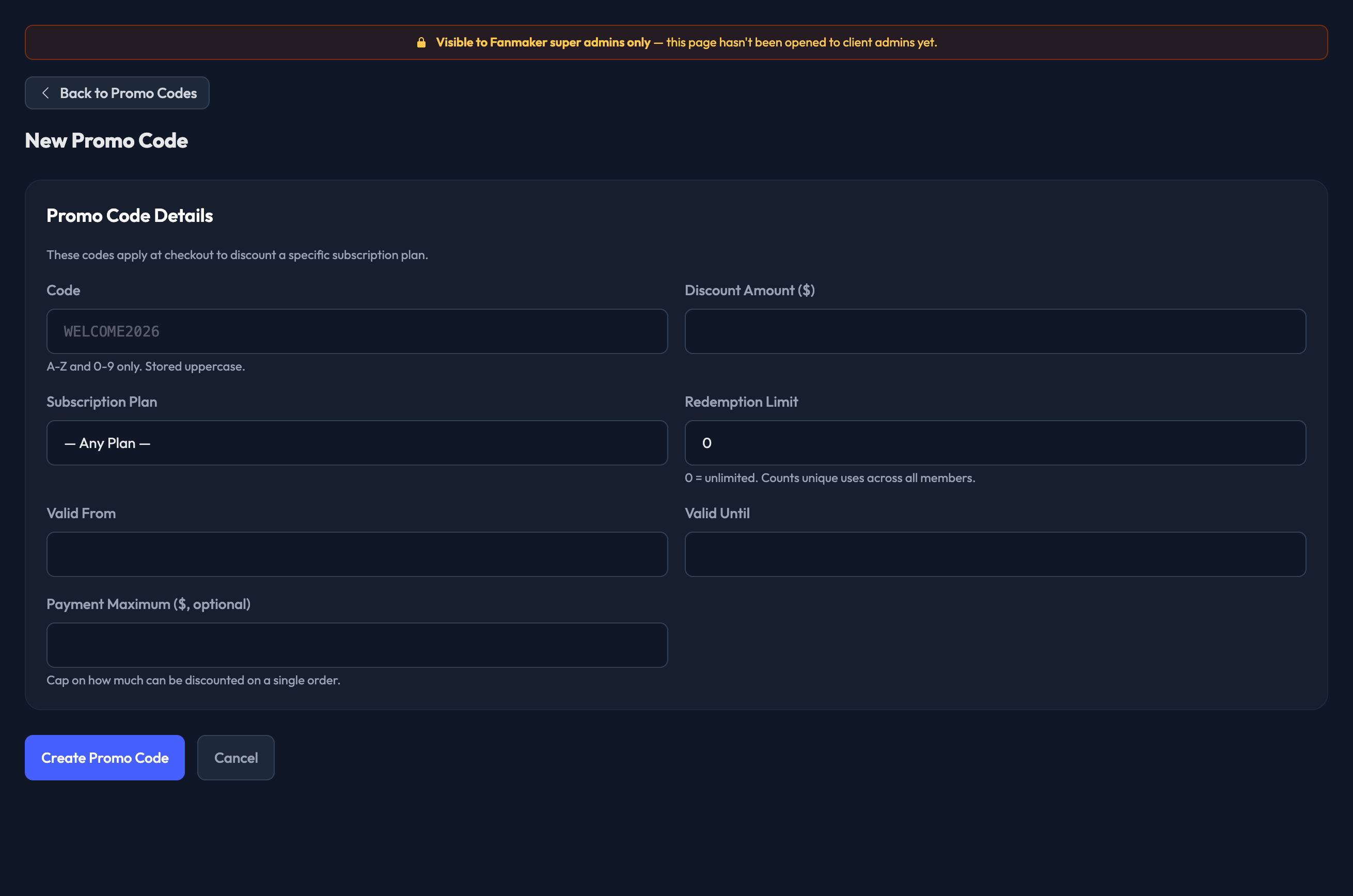
Discount codes are a different thing from promo codes, and they live in a different place.
Promo codes award points, unlock offers, or grant a membership level. You manage those yourself under Point Earning › Promo Codes.
Discount codes knock money off the price of a paid membership plan at checkout. They live under Settings › Memberships & Billing › Subscription Discounts.

What a discount code does
When a fan enters a valid code at checkout during its active window, they get a discount on the membership plan they're buying.
What to send us
Give us these details and we'll set the code up:
1. The code fans will enter.
2. The subscription plan it applies to — or tell us it should work on any plan.
3. The discount amount in dollars.
4. A redemption limit, if you want one — how many times the code can be used in total. Leave it out for unlimited.
5. The date the code becomes valid from.
6. The date it's valid until.
7. A payment maximum, if you want one — a cap on how much can be discounted on a single order.