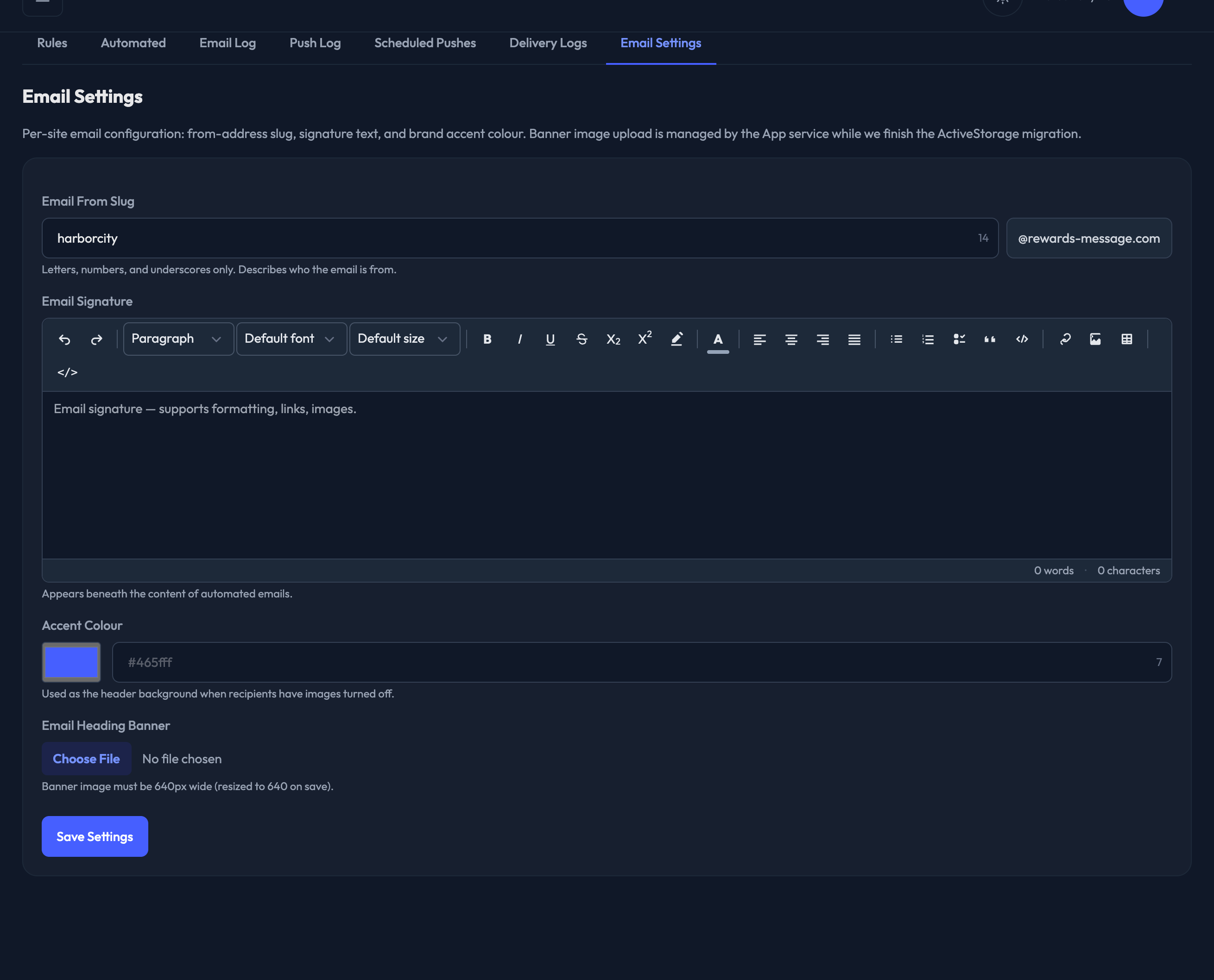
Email Settings
Open Email Settings here — find it in the admin under Communications › Email Settings.
A few settings here make the emails your program sends through Fanmaker match your brand.
1. Email From Slug. This is the part before the @ in the address your emails come from — the admin shows the rest of the address beside the field. Keep it simple and descriptive. Letters, numbers and underscores only, up to 24 characters.
2. Email Signature. Appears beneath the content of your automated emails. It's a rich text editor, so you can use formatting, links and images.
3. Accent Colour. Used as the background colour of the header when a recipient has images turned off, standing in for the banner image. Pick it with the colour swatch or type a hex value.
4. Email Heading Banner. Displayed at the top of most emails. The image must be 640px wide — it's resized to 640 on save. JPEG or PNG.
Click Save Settings when you're done.