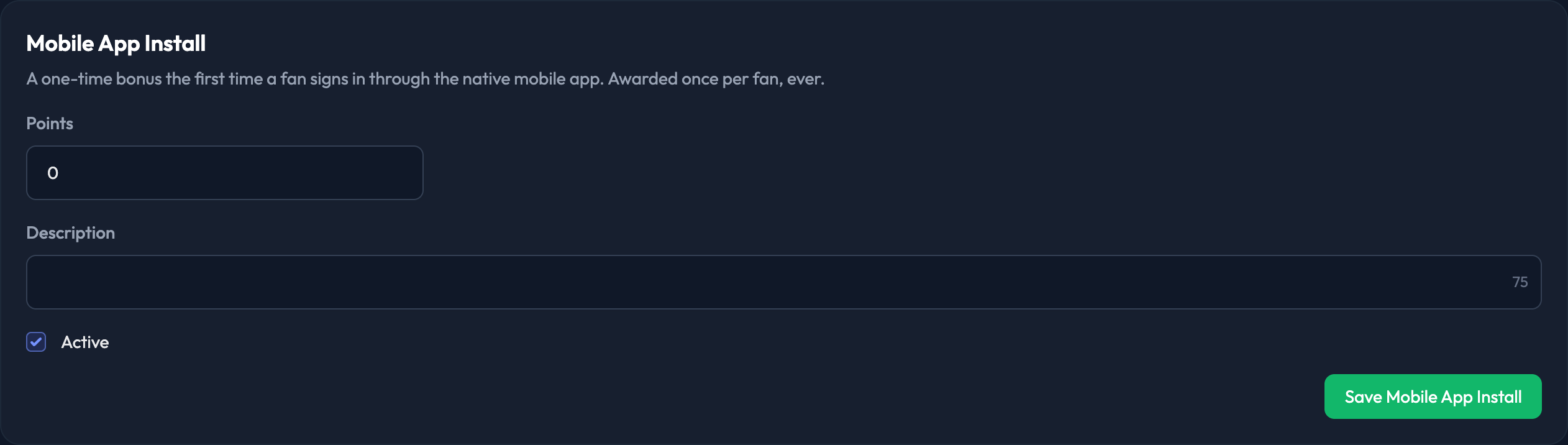
Find this in the Mobile App Install section of the Point Values page, here in the admin — under Point Earning › Settings › Point Values.
This is a one-time bonus, awarded the first time a member signs in through the native mobile app. It's awarded once per member, ever.
1. Enter how many Points the member will receive.
2. Add a Description for the award (up to 75 characters).
3. Tick Active to switch the award on. If you'd rather not award points for the mobile app, leave it unticked.
4. Click Save Mobile App Install.

Note: members earn these points the first time they sign in to the mobile app after this is switched on.
Note: if you switch this on after members have already downloaded the app, those members are not penalized — they'll earn the points the next time they sign in to the app.
Note: the Description field is kept so programs that customized their wording don't lose it, but it isn't rendered anywhere in the current fan app.