
Offers are managed here in the admin, under Rewards › Offers.
Every offer on your site is listed with its Title, Availability window, Impr. (impressions), Redem. (redemptions) and Status. Use the Actions menu on a row to open or edit an offer, and New Offer in the top right to create one.
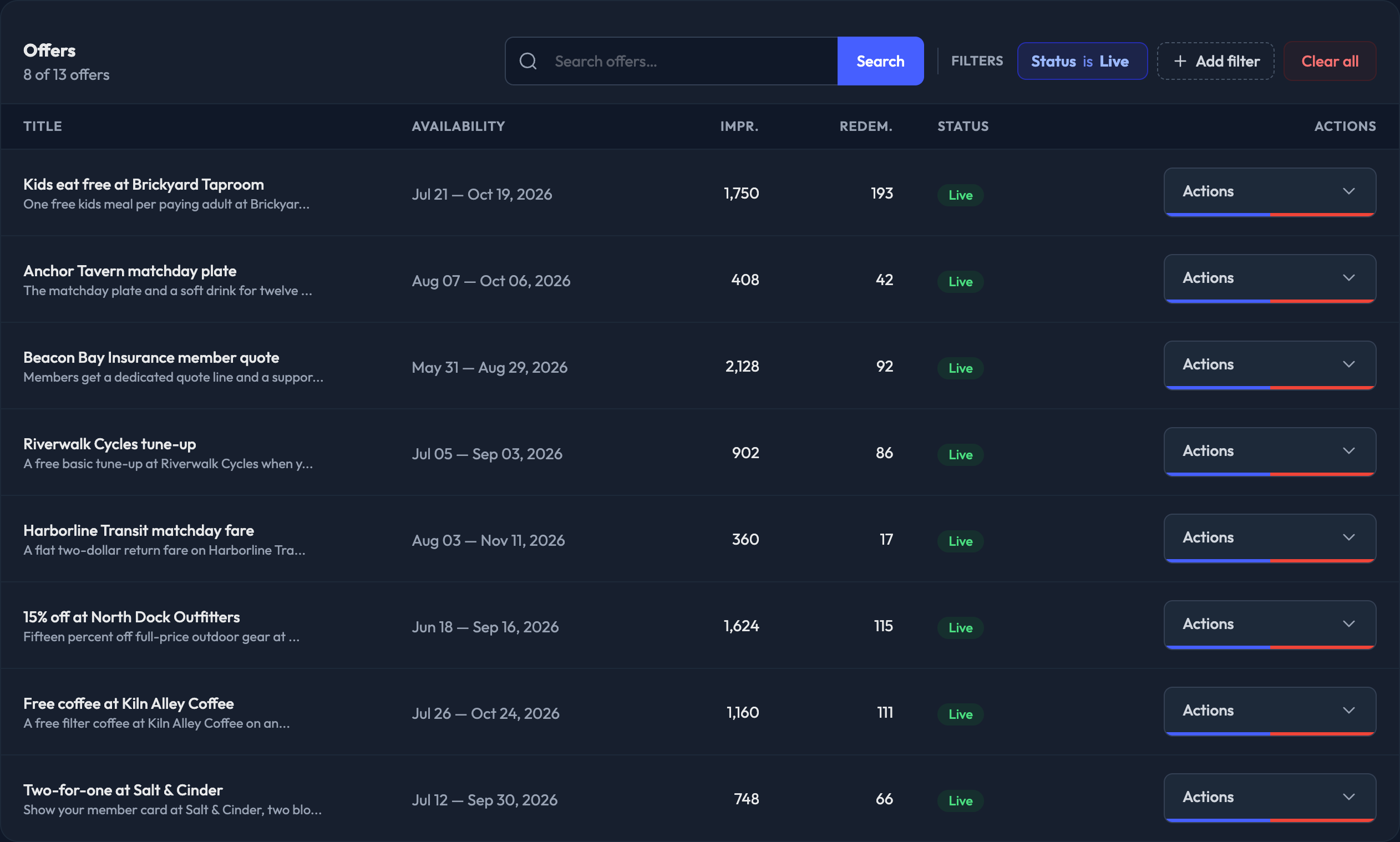
Finding an Offer
Search by title in the card header, or narrow the list with the Filters chips:
Status — Live, Upcoming, Expired, or All statuses
Category — Food, Tix, Apparel or Gaming

Tip: Send the impressions and redemptions figures back to your sponsors to keep them informed on how their offers are performing.
Reports
Downloadable reports live under Reports & Imports › Request a Report:
Offer Impressions Report — offer views tracked from in-app surfaces
Offer Redemptions Report — offer redemption events