You can send a push notification or an email to the members who attended an event straight from that event's dashboard.
Open the Events list in the admin.
Click the event's name (or its attendance number) to open the event dashboard.
At the top right of the dashboard, you'll see Push, Email and (if your program has text messaging) Text, followed by Edit and the Actions menu.
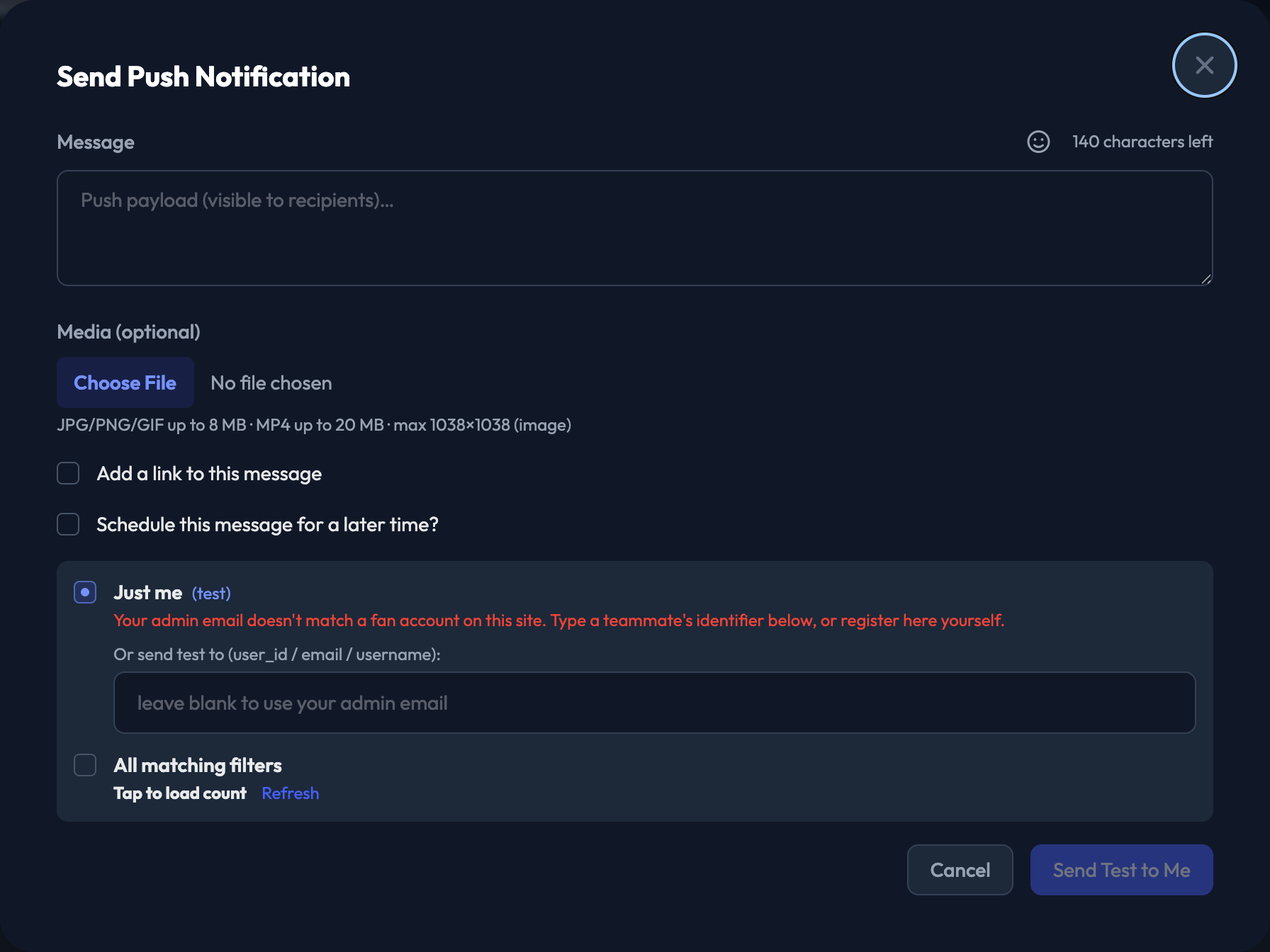
Click Push to write a push notification.
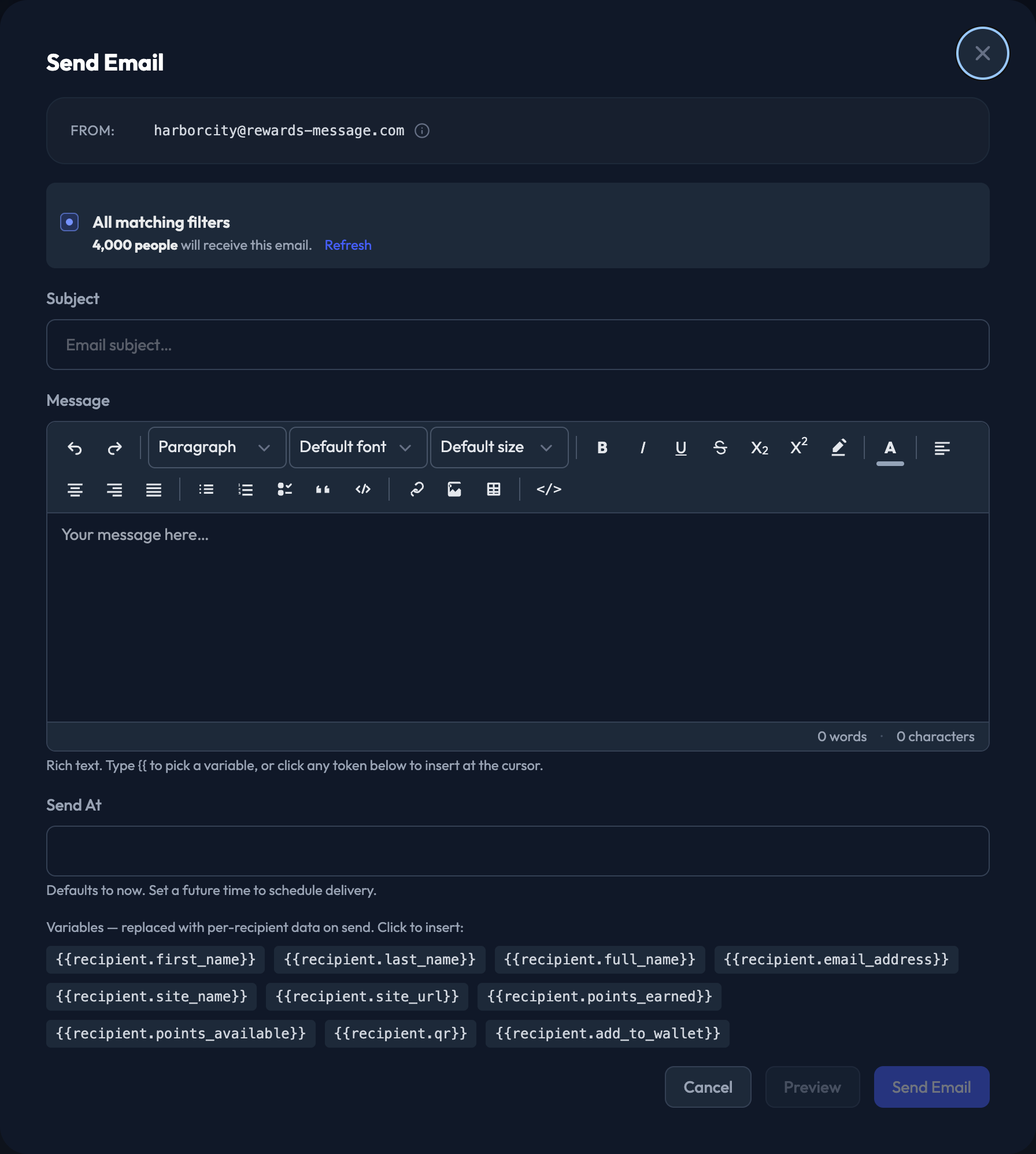
Click Email to write an email.
Click Text to write a text message. It opens the text messaging composer for this event. It's shown only on programs with text messaging.
The audience is set to this event: Everyone who attended. Messages go to all attendees of the event, and you can't narrow the list from here.

Check the Audience. It shows "Everyone who attended".
Write the Subject.
Write the Message. It's a rich text editor. Type {{ to pick a variable, or click any token below the editor to insert it at the cursor. Variables are replaced with each recipient's own data on send.
Set Send At. It defaults to now. Set a future time to schedule delivery.

Write the Message. It must be 140 characters or less. A live counter shows what's left, and there's an emoji picker beside it.
Add Media (optional). JPG, PNG or GIF up to 8 MB, or MP4 up to 20 MB.
Check Add a link to this message to make the push tappable (optional). The link can point at an Event, Auction, Prize or Sweepstakes on your site, or at an external URL.
Check Schedule this message for a later time? and set Send At to send it later (optional).
Check the Audience, then send.