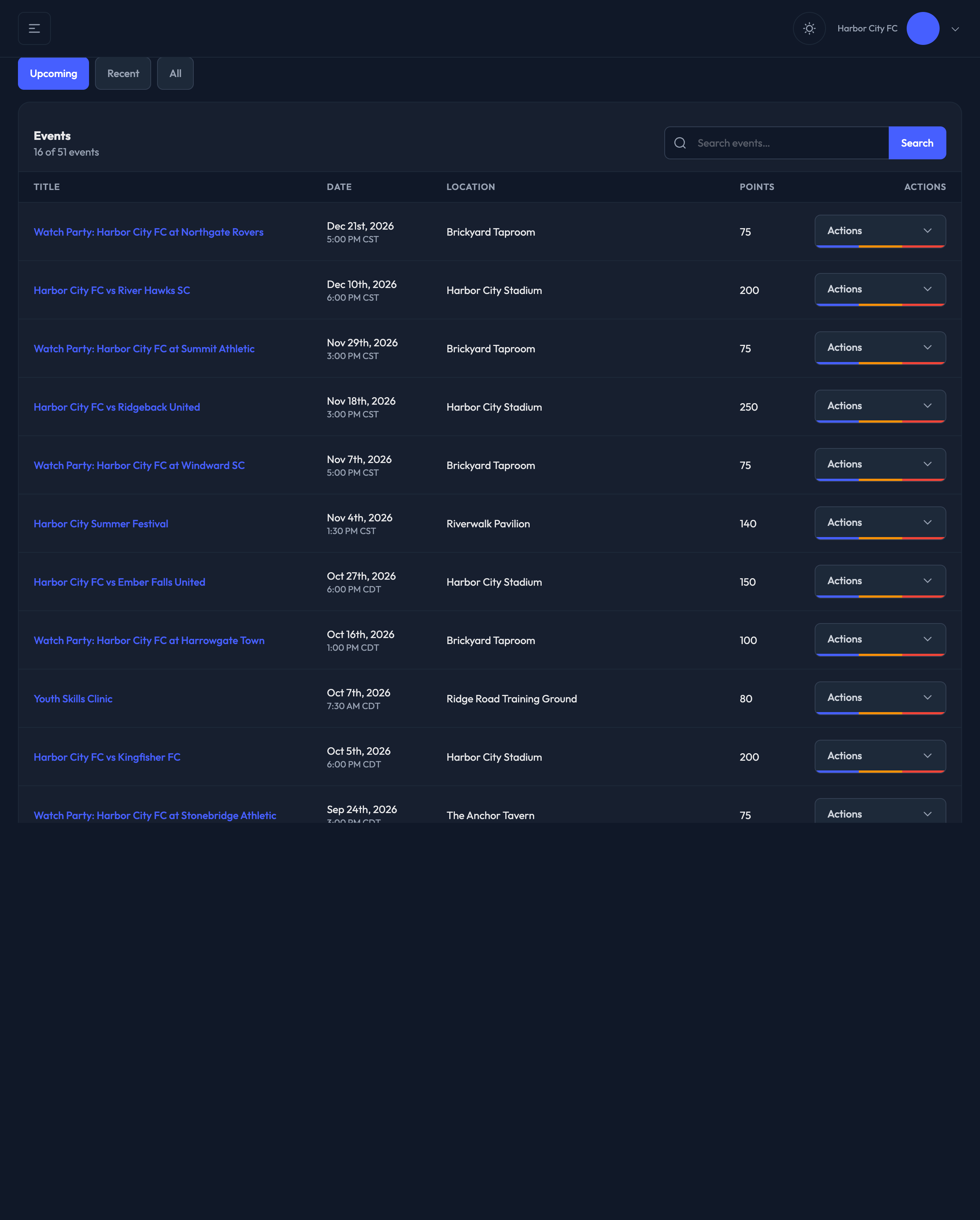
View your event list here in the admin — Events › Events.
This is the master list of everything on your schedule. Create an event here with the "New Event" button, or switch to the month grid with the "Calendar" button beside it.
Finding an Event
There is a “When” dropdown above the events list:
Upcoming — the default view, for events still ahead of you.
Recent — events that have already happened.
In Progress — events that are happening now
All — everything on the site.
There's also a search box in the list header if you know part of the event's name.

Event List Details
Within this list you will see information like:
Title — click it to open that event's dashboard
Location — the event's custom location name, or the venue(s) it's linked to
Date — the event's start time
Check-In, Watch, and CrowdCameo — indicators noting if the features are enabled
Members — how many Fanmaker members have checked in
Claims — whether ticket claims are enabled, and if so, how many have been claimed
Points — the base attendance points members earn for checking in
Actions
Row Actions
Open the actions menu at the end of any row to:
Dashboard — that event's attendance and revenue numbers
Edit — open the event's setup form
Appeals — review attendance appeals for that event
Duplicate — start a new event prefilled from this one
Delete — remove the event