Connect your Toast POS to Fanmaker so fans can earn points, use rewards, pay with their Fanmaker balance, and use Fanmaker gift cards at your registers.
Fanmaker works inside Toast in three ways. You can turn on one, two, or all three:
Loyalty — Earn points and redeem Fanmaker rewards
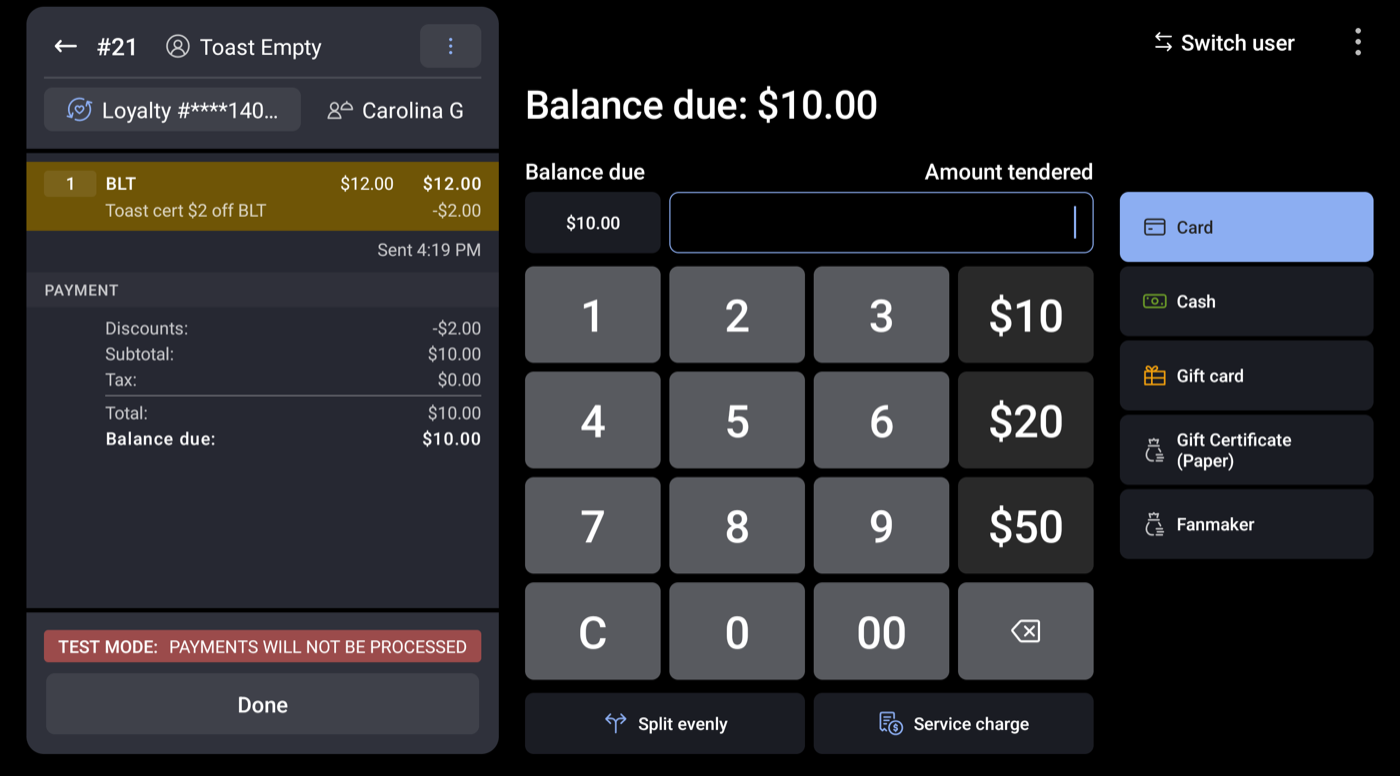
Fanmaker payment — Pay with their Fanmaker balance (stored value, loaded tickets, vouchers)
Gift cards — Buy, reload, check, and pay with Fanmaker gift cards

Email [email protected] and your Fanmaker Partner Success Manager with:
Your Toast restaurant name and Restaurant ID for every location that will use Fanmaker
Which features you want: Loyalty, Fanmaker payment, Gift cards
You can find the Restaurant ID at the bottom of most Toast Web settings pages.
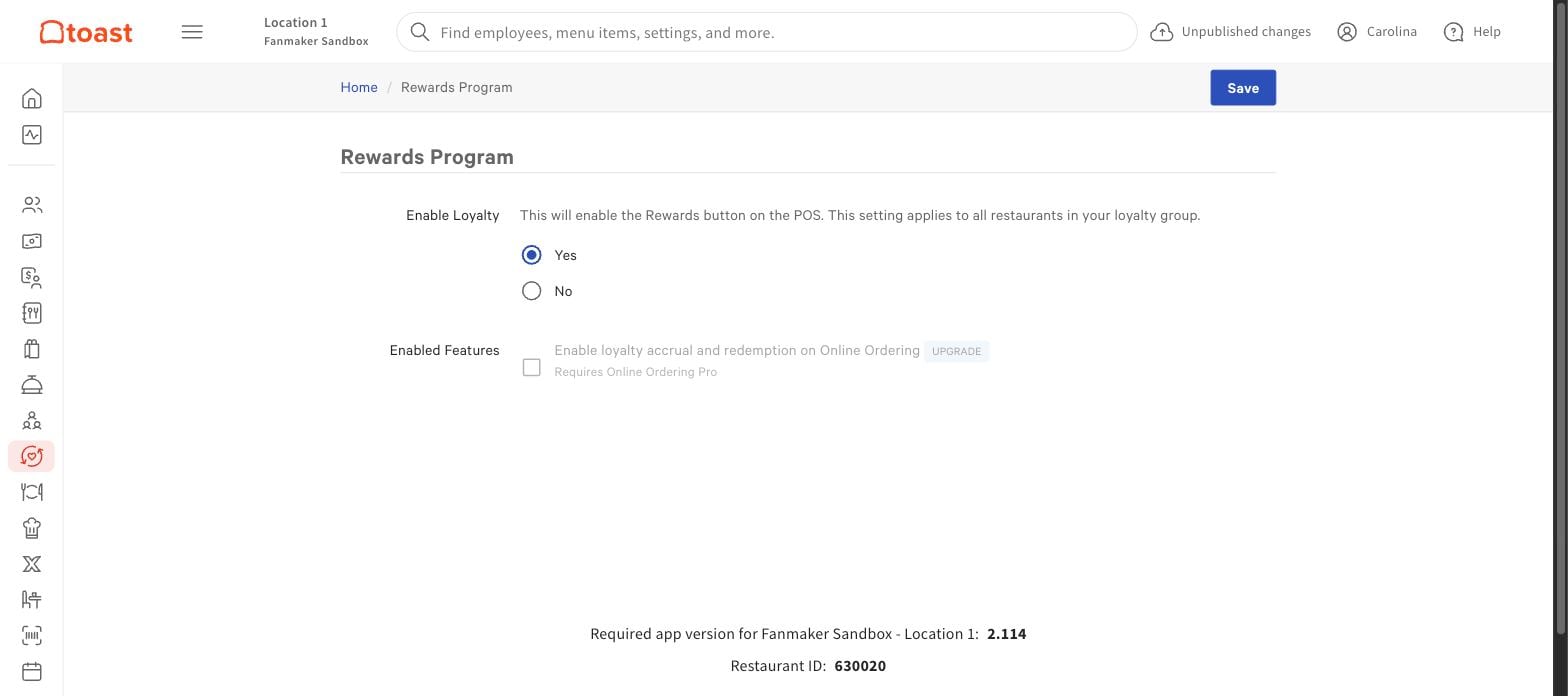
1. In Toast Web, search for Rewards Program. Set Enable Loyalty to Yes and click Save.
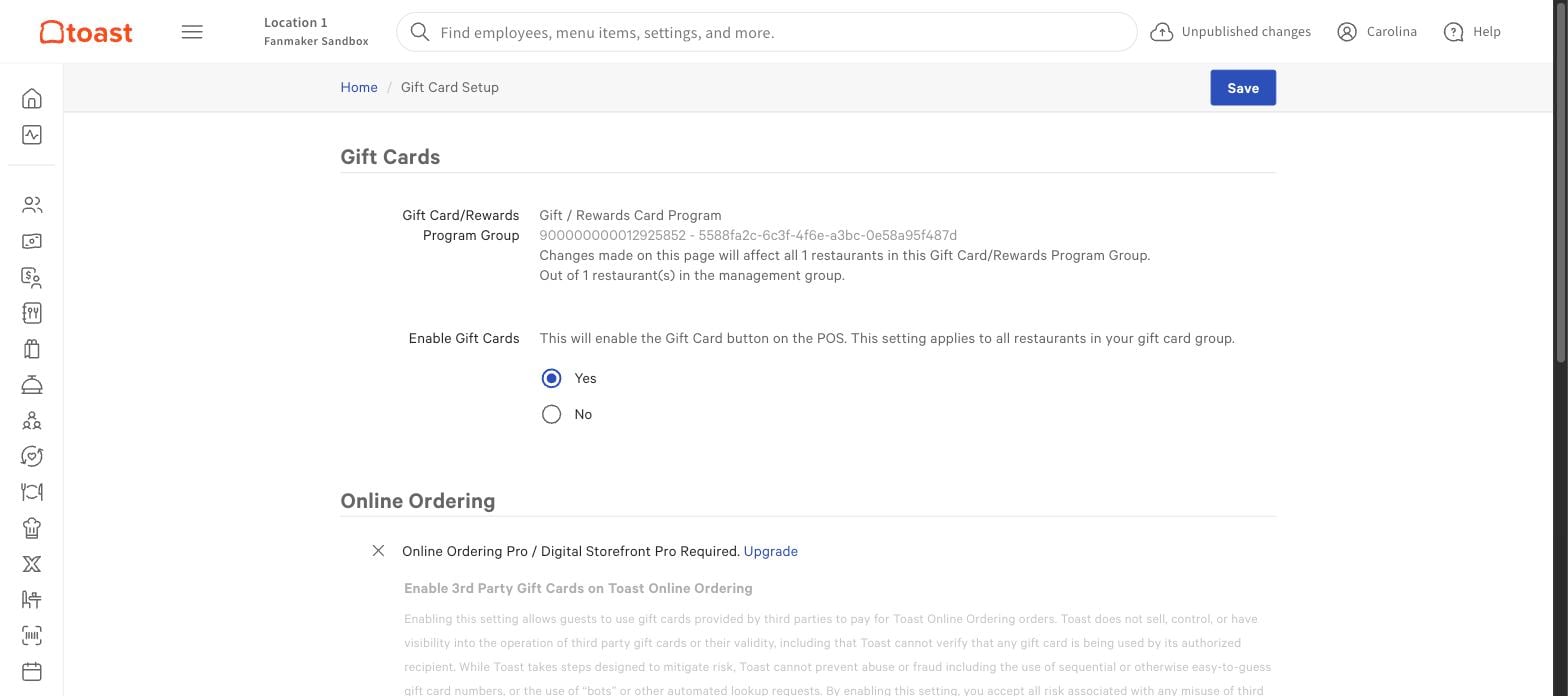
2. Search for Gift Card Setup. Set Enable Gift Cards to Yes and click Save.

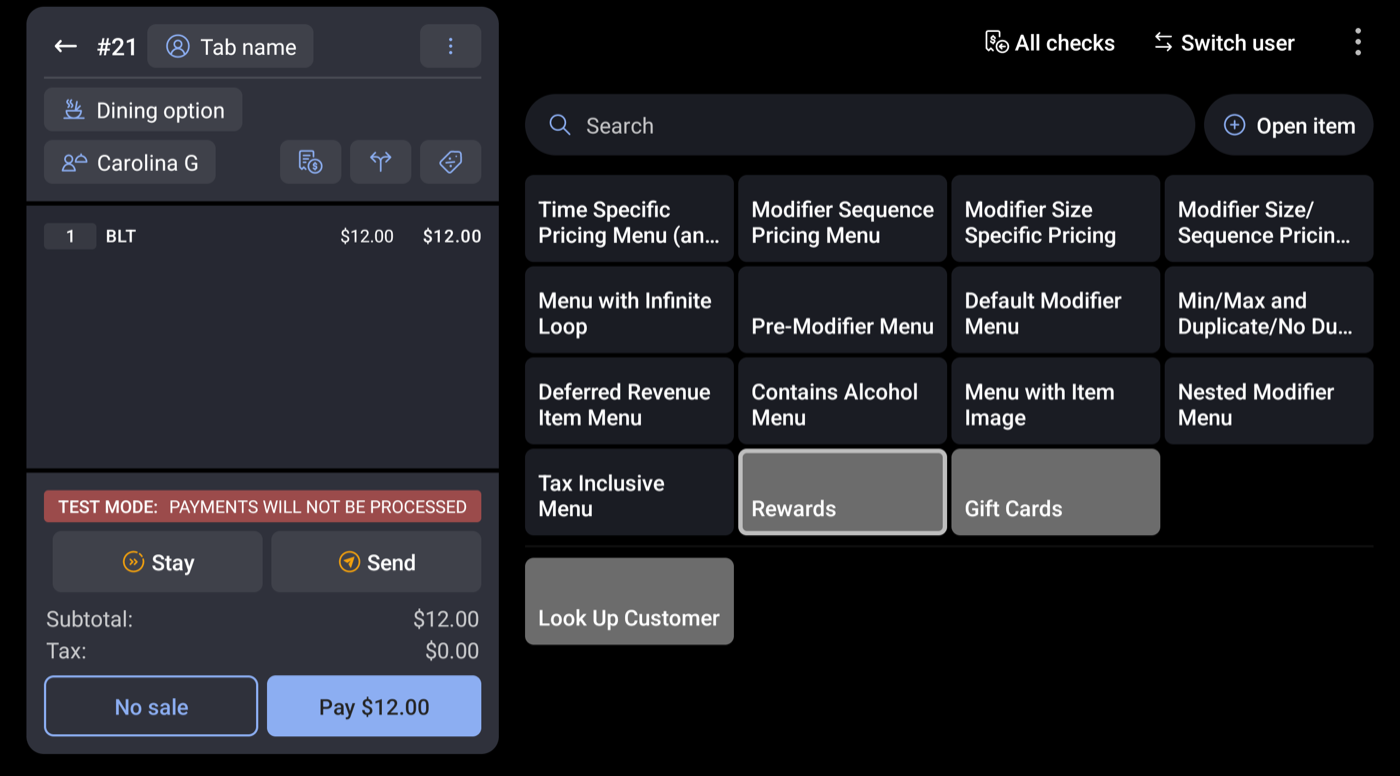
Open the Toast POS and check that:
1. Rewards > Look Up Customer is on your menu (Loyalty).
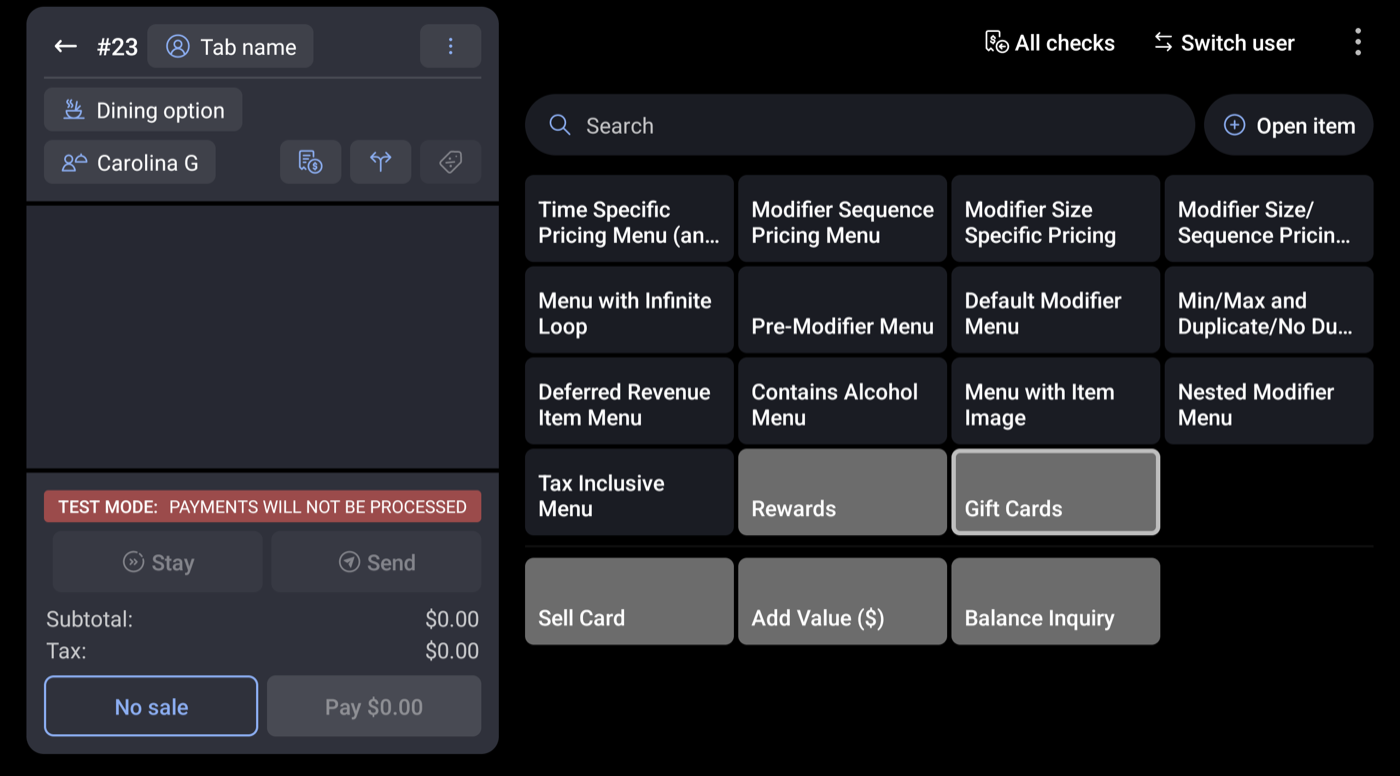
2. Gift Cards shows Sell Card, Add Value, and Balance Inquiry (Gift cards).
3. Fanmaker shows on the payment screen (Fanmaker payment).
The Fanmaker team will:
Link your Toast restaurant to your Fanmaker site
Set up points per dollar and your rewards
Connect the balances fans can spend at Toast (stored value, loaded tickets, vouchers)
Load your gift cards, if you use them
Run a test transaction with you (see the Toast Integration and Testing Guide)
