When creating a new prize item (here in the Admin), you can configure it to award stored value to the fan's account upon redemption.
Don't see the Award Stored Value option?
There are two possible reasons:
Feature Included, Needs Activation - If Stored Value is included in your agreement but the setting isn't appearing in your Admin when creating a new prize, we just need to activate it for you. Reach out to your Fanmaker point of contact or email help@fanmaker.com to get this feature turned on.
Upgrade Required - If Stored Value isn't currently part of your agreement, contact your Fanmaker point of contact or email help@fanmaker.com to learn more about adding this capability to your program.
Follow the standard steps for Creating a New Item. Add a Title, Description, Redemption Limit, Item Available Date, and the Item Point Cost (the number of points to redeem the stored value). The purchase method should be Spend Points to Redeem; a Credit Card Purchase can be used only if you have a Stripe account set up with us.
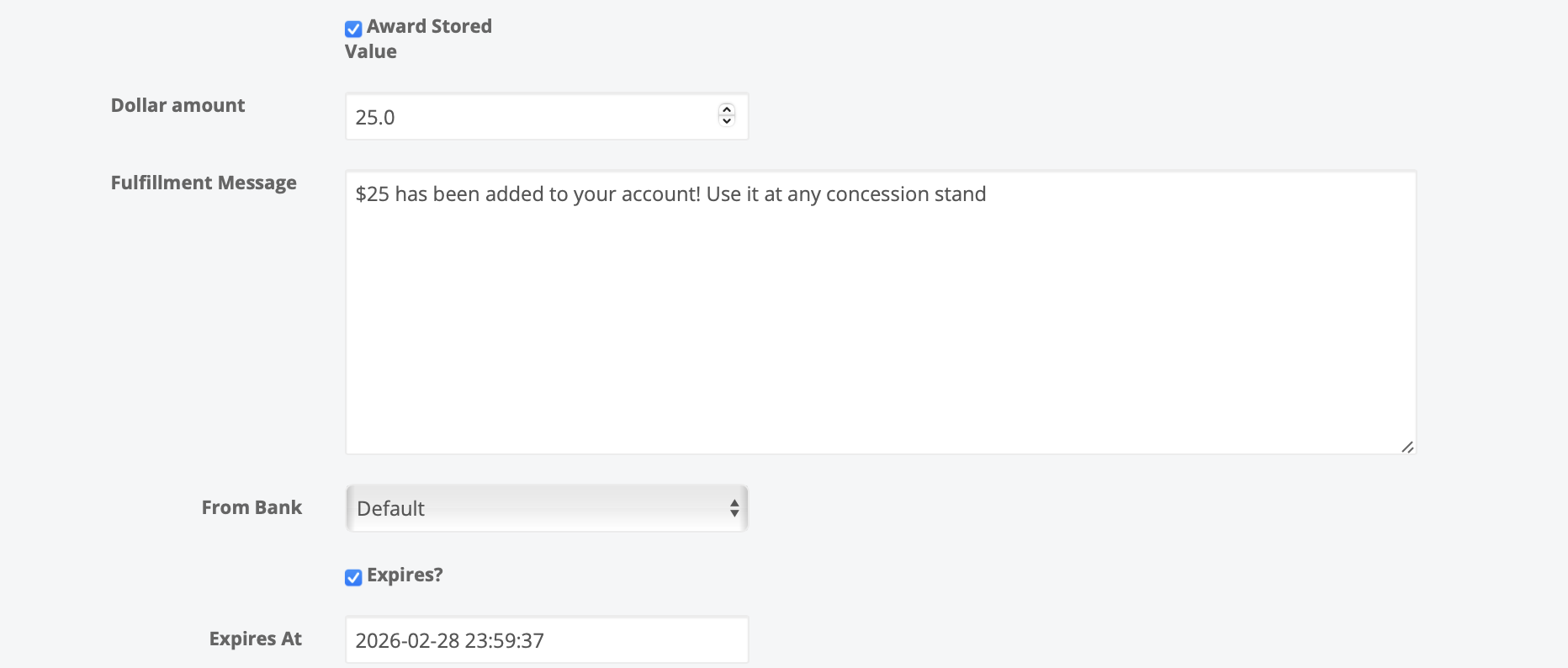
Check the Award Stored Value checkbox to enable this feature
Enter Dollar Amount - Specify the dollar value that will be added to the user's account when they redeem this prize
Enter Fulfillment Message - Write a custom message that the user will see upon redemption (e.g., "$25 has been added to your account! Use it at any concession stand.")
Select From Bank - Choose which stored value bank this award should draw from for tracking and reporting purposes.
Set Expiration (Optional):
Check the Expires? box if you want this stored value to have an expiration date
Enter the Expires At date when this stored value should no longer be available for use
Complete the remaining prize item fields as normal
Click Save
Once a fan redeems a prize item with stored value:
The dollar amount is immediately added to their account
They can view their balance in the loyalty app or on their digital wallet pass
Each fan has a unique QR code identifier that can be scanned at point of sale
The balance automatically updates in real-time as they make purchases
Fans can download their wallet pass to Apple Wallet or Google Pay for easy access
You can track redemptions by stored value bank for better financial reporting
Individual expiration dates are maintained for each stored value addition
View fan account balances and transaction history through the Admin
Clear Communication - Make sure your fulfillment message clearly explains how and where fans can use their stored value
Expiration Dates - Use expiration dates to create urgency, but give fans reasonable time to use their value
