
You'll find your leaderboards under Design & Content › Leaderboards in the admin. Members see the ones marked visible on the leaderboards page in your program.
The table lists each leaderboard's Name, its Type, its display Limit, whether it's Visible or Hidden, and whether the Rank Option is on — that's the setting showing out-of-limit members their own position.
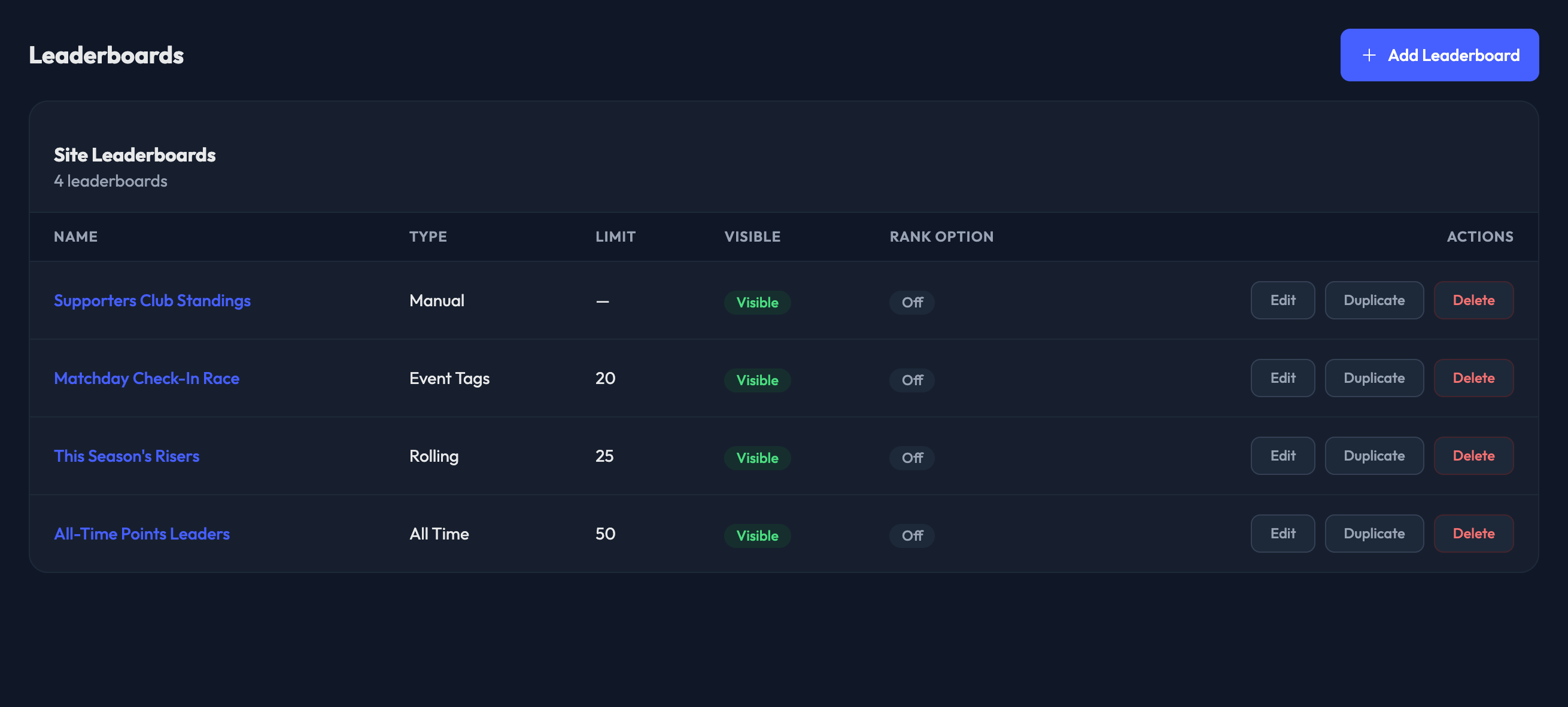
For each leaderboard you can:
Edit — open it and change any of its settings.
Duplicate — open a new leaderboard form prefilled from this one. Nothing is saved until you click Save, and the copy stays hidden until you tick Visible to members.
Delete — remove it, after a confirmation.
Reorganize Order — Click, hold, and drag the left side of a leaderboard title to reorganize the order. The order they appear in the admin is the order they’ll display on the front end.
Clicking the leaderboard's name opens it for editing too.

